
Getting Started with Transcript In Progress
Transcript In Progress helps you quickly extract, translate, and export subtitles from any public YouTube video. This guide gives you a clear, step-by-step walkthrough, along with tips and links to deeper articles, so you can produce clean text in seconds.
What You’ll Need
- A public or unlisted YouTube video URL.
- Basic network access to fetch subtitles and optional translation.
- No login required; all exports happen locally in your browser.
1) Paste a YouTube URL
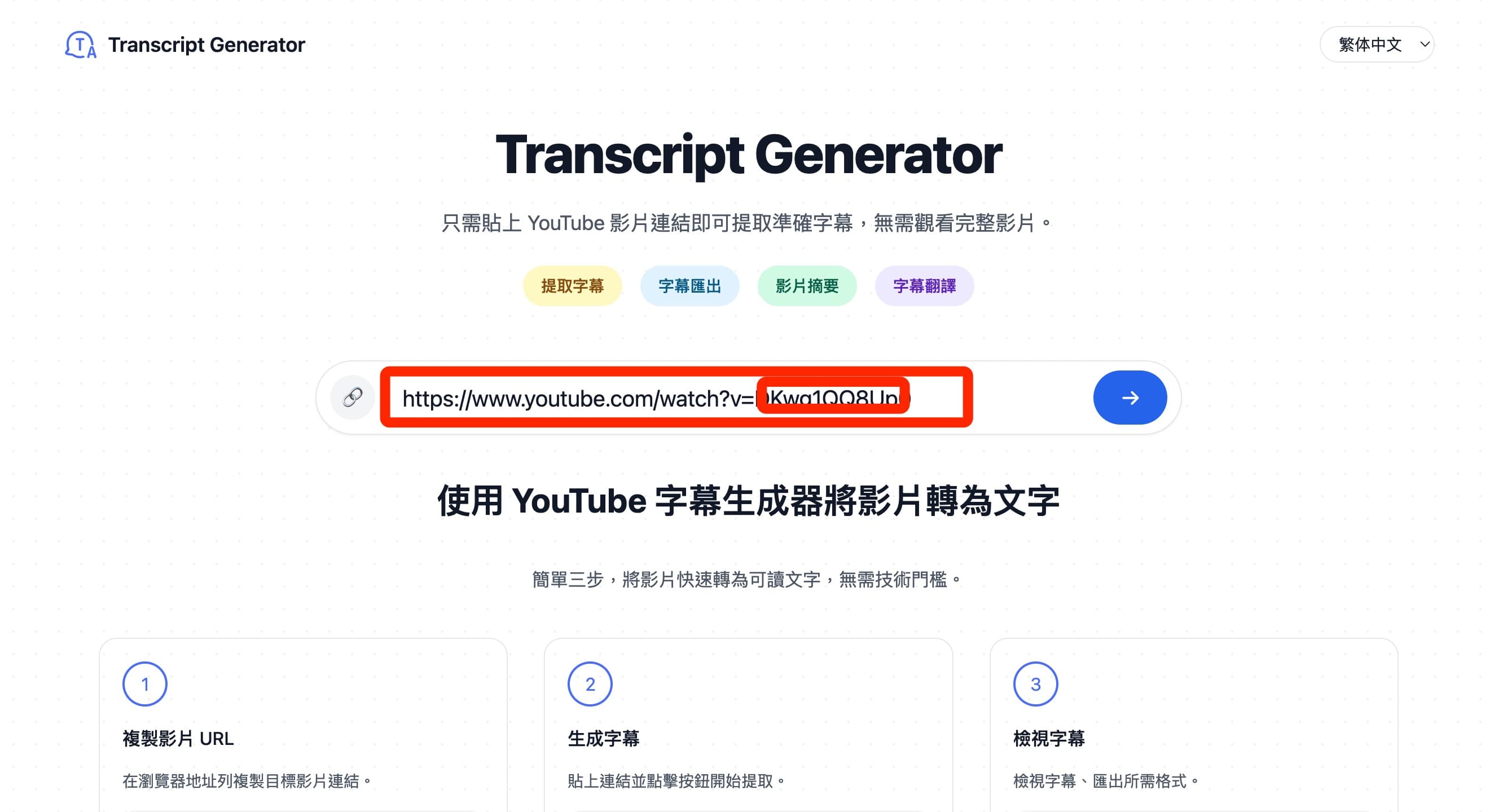
Copy the video link from YouTube and paste it into the input on the homepage. The tool automatically extracts the video ID, even from complex URLs like youtu.be/… or youtube.com/watch?v=….
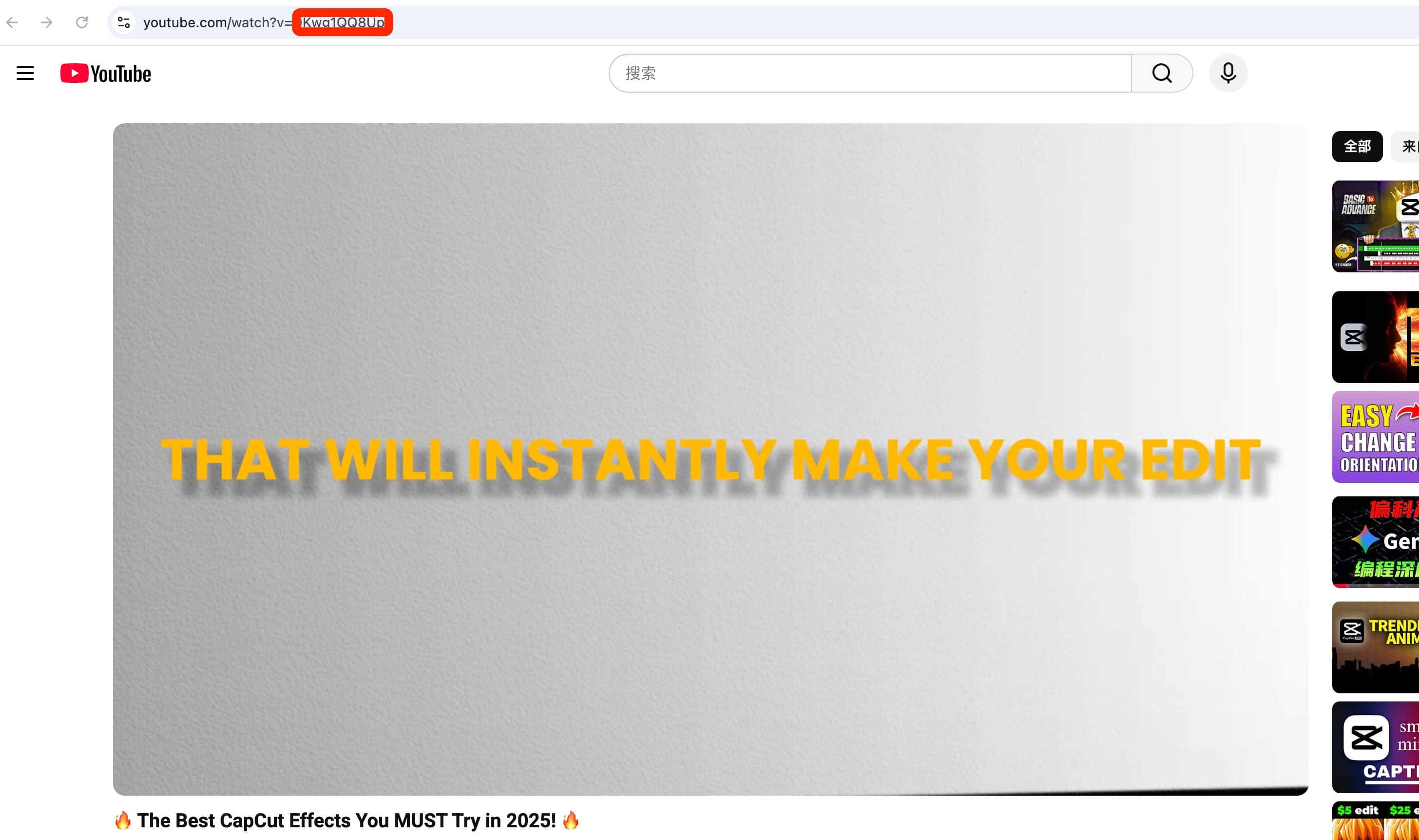
2) Fetch Subtitles
Click “Get Transcript” to load available subtitles. If multiple languages exist, the system tries the best match and applies fallback strategies when needed. For videos without official subtitles, auto captions may be used when available.
3) Translate (Optional)
Enable translation to convert subtitles into your target language. You can choose English, Chinese (Simplified/Traditional), Spanish, French, or German from the dropdown. Translation runs via public services; for long videos, allow a few seconds to finish.
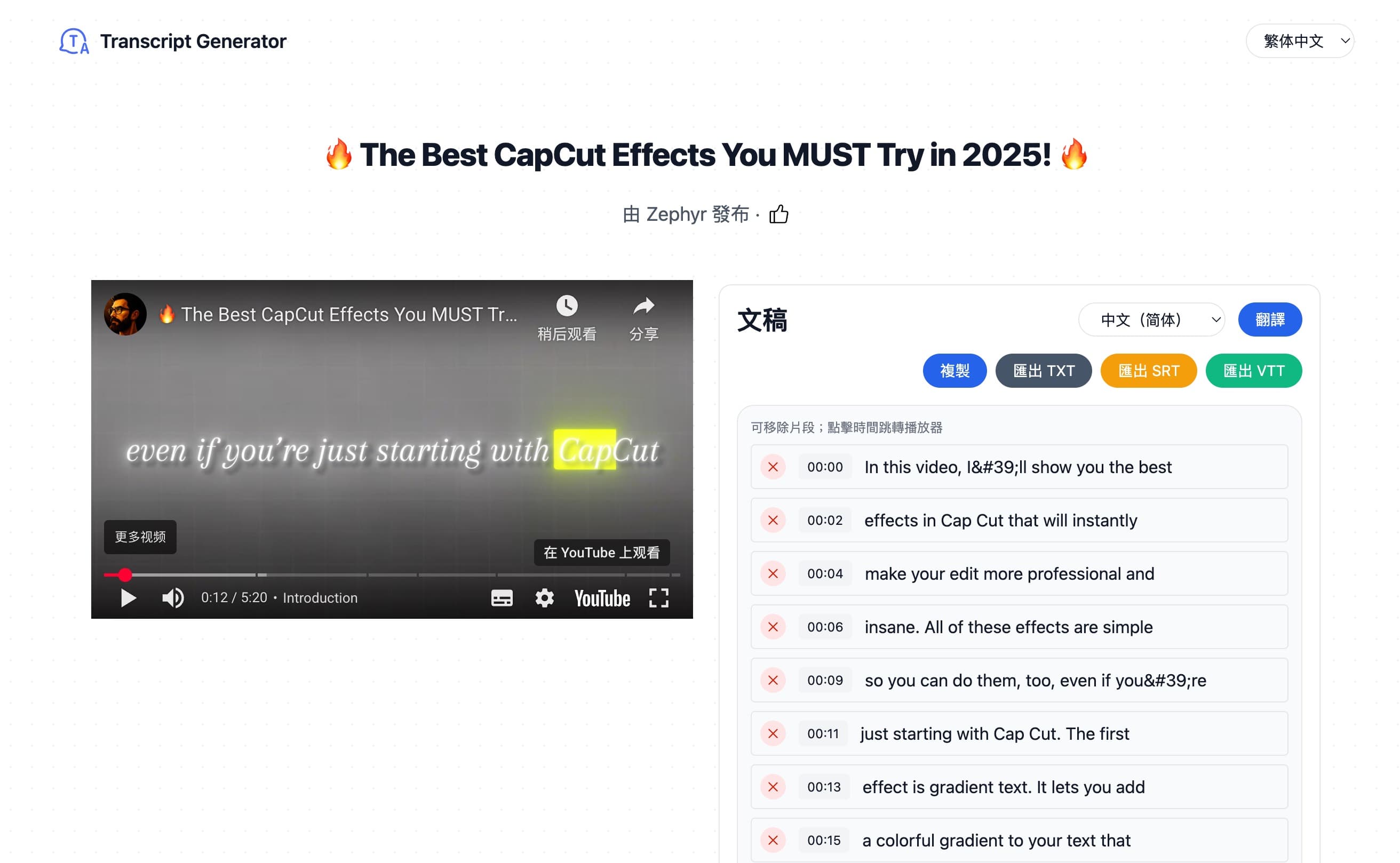
4) Copy or Export
- Copy: quickly copy cleaned text to clipboard.
- Export TXT: plain text for note-taking or editing.
- Export SRT: timestamped format compatible with most video editors.
- Export VTT: web-friendly captions for HTML5 players.
Not sure which format to choose? Read Export Formats: TXT, SRT, and VTT.
Tips for Best Results
- Use the original language where possible to preserve nuance; translate only when needed.
- For noisy auto captions, try switching languages or reloading the transcript.
- Keep exports organized: name files with the video title and language code.
For detailed cleanup guidance, see Cleaning and Formatting Subtitles.
Language and Availability
Subtitle availability depends on the video and the languages provided by the creator or platform. When a preferred language is not available, the system automatically tries common languages to maximize success.
If subtitles seem missing or incomplete, review Troubleshooting Missing Subtitles.
FAQ
- Do I need to download the video? No—only subtitles and timestamps are fetched.
- Where are files generated? Directly in your browser; exporting does not upload content.
- Which formats are supported? TXT, SRT, and VTT via the toolbar.
- Is translation accurate? It uses machine translation and may need light edits.
Privacy
We aim to keep processing minimal and transparent. Subtitles are fetched from public sources, and exports happen locally. Learn more in the Privacy Policy.
That’s it—paste, fetch, optionally translate, then export. Transcript In Progress is designed to be fast, simple, and reliable for everyday subtitle tasks.
Conclusion
Transcript In Progress makes subtitle work straightforward: paste a URL, fetch captions, translate if needed, and export in the format you prefer. Try it on a video and validate the output in your workflow. Start extracting subtitles.